Ad format
Before / after ads
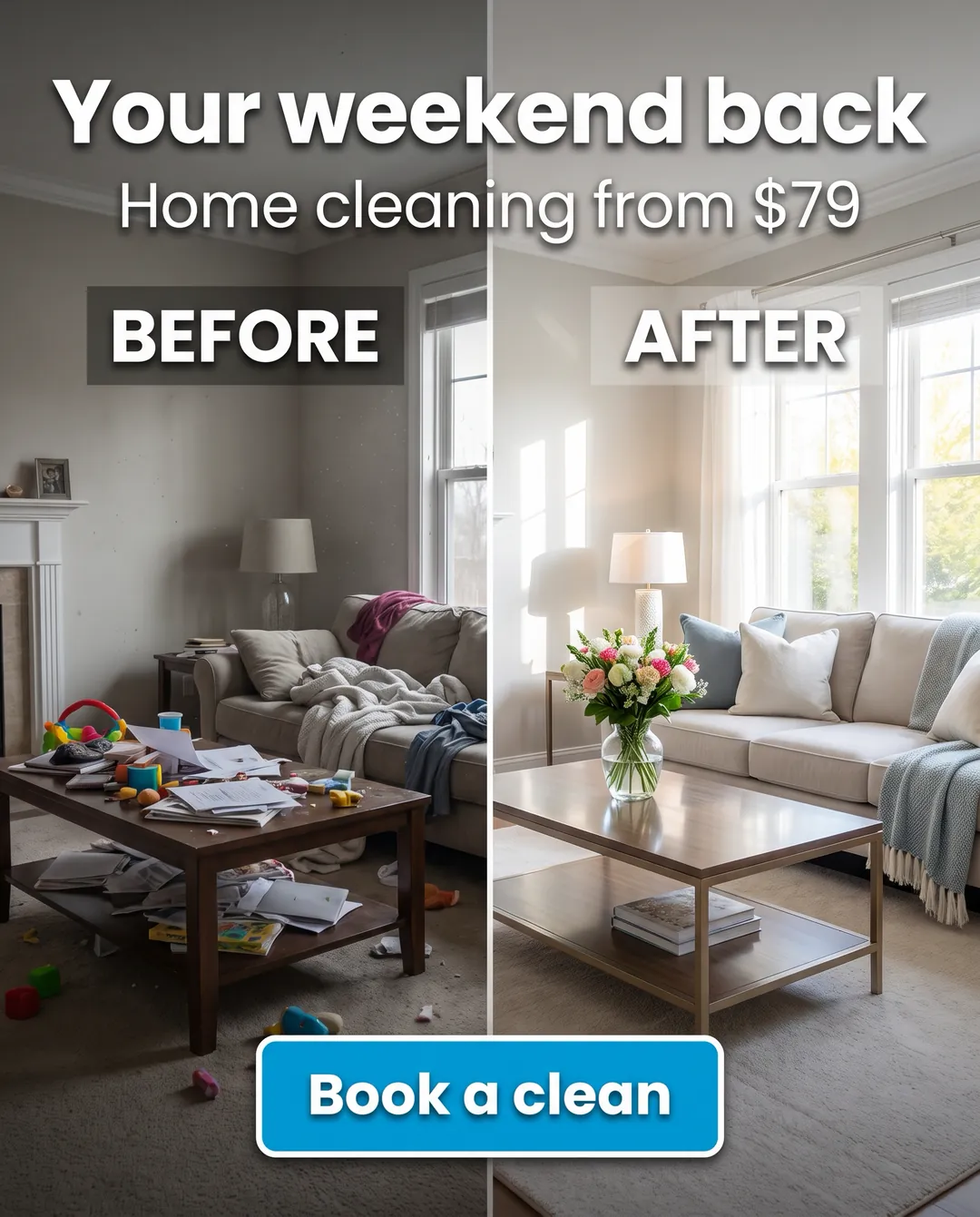
One image split down the middle: the same room, face, car or garden before and after. Clear labels and one headline about the outcome.
Why it works
The result is shown, not claimed. Motion tracks Before & After as one of its core formats.
Source: Motion Creative Benchmarks 2026 (578,750 ads, Sep 2025 – Jan 2026), format “Before & After”.
When to use it
- Cleaning, renovation, detailing, landscaping, organising.
- Any service where the result is visual.
How to write it
- Same angle and framing on both sides.
- Headline = the benefit, not the service: “Your weekend back”.
- Price anchor if you have one: “from $79”.
Mistakes to avoid
- Before/after of bodies or skin: Meta restricts these under its personal health policies.
- Results that aren’t typical without saying so.
The example above was made by AdCreator for a fictional demo brand.
Make this ad for your brand
Paste your link in AdCreator and pick “Before / after”. You'll need: a real before and after (or a fair illustration of the service). Best for home services, cleaning, car care, renovation.
More formats
Make ads like these in 60 seconds
Paste your website or snap your product. AdCreator builds your brand, writes the copy and makes image ads, product videos and AI spokesperson videos in every size.